
AudioManager - Get APK
You'll be able to download in few seconds.
Publisher Description
Best Audio Managing app, with over 4 million downloads!
Featured by "Best Android Apps" Book by O'Reilly as Best Audio Management App in Android.
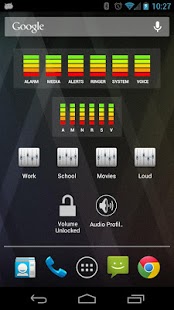
Audio Manager is a home-screen Widget and Volume manager that allows you to get live readings of your current volume levels on your Android phone. Tap on the widget to adjust the volume levels.
Don't forget to check out the fully featured AudioManager Pro in the Android Market. Some of the features in Pro include:
★ Over 100 widget skins available through the Android Market
★ Two widget sizes available (large 4x1 and small 2x1)
★ Save Audio Profiles (presets)
★ Rename, Edit or Delete Profiles (presets)
★ Create profile shortcuts
★ Built-in Scheduler to automatically apply your presets whenever you want.
★ Restore ringer mode feature.
★ Set your ringtones through profiles
★ 6 Themes for you to choose from (Standard, Blue, Red, Yellow, Green and Pink).
★ Volume Lock to prevent other apps from changing your volume setting
★ 1x1 Volume Lock Widget
★ 1x1 Current Profile Widget
★ Re-arrangeable profile list
★ Built-in Scheduler to automatically apply your presets
★ Fully optimized for Android tablets
★ Available in over 10 different languages
★ Create and publish your own skins using the Skin Development Kit
★ AudioManager Plug-in available for Locale and Tasker users
We appreciate your feedback and encourage you to help us improve our products. Visit our website http://www.smartandroidapps.com and don't forget to check out our other apps in the market.
Smart Android Apps, LLC
About AudioManager
The company that develops AudioManager is Smart Android Apps, LLC. The latest version released by its developer is 1.0 .
To install AudioManager on your Android device, just click the green Continue To App button above to start the installation process. The app is listed on our website since 2014-11-03 and was downloaded 0 times. We have already checked if the download link is safe, however for your own protection we recommend that you scan the downloaded app with your antivirus. Your antivirus may detect the AudioManager as malware as malware if the download link to com.smartandroidapps.audiowidget is broken.
How to install AudioManager on your Android device:
- Click on the Continue To App button on our website. This will redirect you to Google Play.
- Once the AudioManager is shown in the Google Play listing of your Android device, you can start its download and installation. Tap on the Install button located below the search bar and to the right of the app icon.
- A pop-up window with the permissions required by AudioManager will be shown. Click on Accept to continue the process.
- AudioManager will be downloaded onto your device, displaying a progress. Once the download completes, the installation will start and you'll get a notification after the installation is finished.
Program Details
System requirements
Download information
Pricing
Version History
version
posted on 2014-11-03
4.1.1,-Minor behavior fix on some devices,4.1.0,-Fixed jellybean issues with vibrate in silent mode,-Other minor issues,-Updated Simplified Chinese strings
version 2.6.3
posted on 2011-04-21
Several fixes and updates
Disclaimer
External Download
We do not host AudioManager on our servers. We did not scan it for viruses, adware, spyware or other type of malware. This app is hosted by Galad and passed their terms and conditions to be listed there. We recommend caution when installing it.
The APK Download link for AudioManager is provided to you by apps112.com without any warranties, representations or guarantees of any kind, so access it at your own risk.
If you have questions regarding this particular app contact the publisher directly. For questions about the functionalities of apps112.com contact us.
